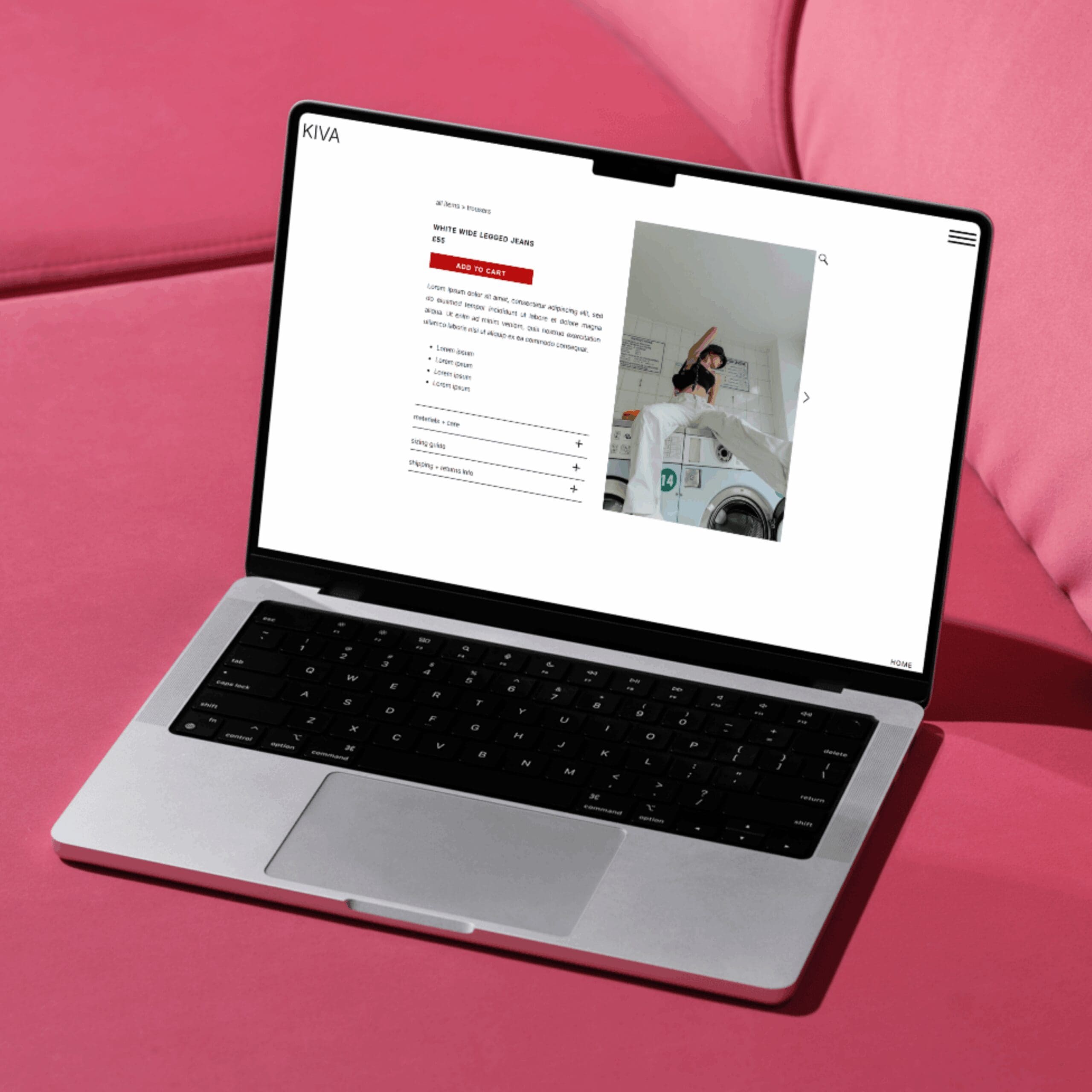
Most ecommerce businesses spend a lot of energy driving traffic to their product pages and not nearly enough asking whether those pages deserve the traffic. A product page that does its job well is a genuinely difficult thing to build; it has to convey quality, answer questions, build trust, and make the path to purchase feel easy, all at the same time.
The fastest way to assess a product page is to look at it as a potential customer would: with no prior knowledge of the business, a limited attention span, and a natural inclination to leave if something feels off. These eight questions are a useful place to start.
1. Does the page answer the most obvious questions immediately?
Before a visitor scrolls, before they read a single line of description, they form an impression. Is this what I was looking for? Does it look like the right quality? What does it cost? If any of those questions go unanswered in the first visible section of the page, you are asking people to do work they may not bother doing.
Check: is the product name clear? Is the price visible without scrolling? Is there at least one strong image above the fold? These sound like basics, but it is surprisingly common for product pages to bury the essentials under hero banners or navigation elements that push the actual product below the visible area on mobile.
2. Do the images make someone want the product?
A product image is not just documentation; it is persuasion. The question is not only whether the images are technically good, but whether they make the product feel desirable. Do they show what the product actually looks like? Do they give a sense of scale? Is there at least one shot that places the product in a context the buyer might recognise?
If your honest answer is that the images are adequate rather than compelling, that is worth noting. Product photography is one of the highest-return investments in ecommerce. Weak images on a strong product are a missed opportunity.
3. Does the description do more than describe?
Most product descriptions tell you what a product is. The good ones tell you why you want it. There is a meaningful difference between “cotton tote bag, 40 x 35cm, natural colour” and “a bag sturdy enough for the weekly shop, light enough to carry everywhere else.” Both are accurate; only one makes you feel something.
A good product description anticipates the buyer’s questions, addresses their likely objections, and gives them the specific details they need to feel confident. It should also be written in the voice of the brand, not in the neutral, feature-listing tone that most product descriptions default to.
4. Is it easy to make a decision?
If your product comes in variants, how clearly are they presented? Size guides, colour swatches, and variant selectors that are confusing or incomplete are a reliable source of abandoned purchases. A customer who cannot work out whether the medium will fit them, or cannot tell from a small swatch what a colour actually looks like in real life, is a customer who does not buy.
Test this yourself: go through the process of choosing a variant as if you were a new customer. Is anything unclear? Does selecting a variant update the images, the price, or the stock level where relevant? Every point of confusion is a conversion risk.
5. Is there evidence that other people have bought it and been happy?
Reviews are among the most powerful elements on a product page and among the most frequently absent or poorly implemented. If your product has reviews, are they visible near the top of the page? Do they include specific details about the product rather than just a star rating and a one-line endorsement? Are negative reviews handled transparently?
A handful of detailed, genuine reviews will do more for conversion than a hundred star ratings with no accompanying text. If you do not yet have reviews, a Q&A section, a note about your returns policy, or a description of your quality standards can partially fill the gap while you build them.
6. Is the add-to-cart experience frictionless?
The add-to-cart button should be easy to find, easy to tap on mobile, and reassuring in what it implies. “Add to basket” is clear; “proceed” is ambiguous. Once a customer clicks, what happens? Is there a clear indication that the item has been added? Is the path to checkout obvious? Any uncertainty at this moment, even briefly, increases the likelihood of abandonment.
Also check: does the page make the returns policy and delivery information easy to find? Not buried in a tab three scrolls down, but genuinely accessible at the point of decision. These details reduce the perceived risk of buying and remove one of the most common reasons people hesitate.
7. Does the page work as well on mobile as on desktop?
Product pages are particularly vulnerable to mobile usability problems: images that are too small to show detail, variant selectors that are fiddly to use on a touchscreen, add-to-cart buttons that are obscured by other elements. Since a significant proportion of product page visits happen on mobile, any friction in the mobile experience is disproportionately costly.
Browse your own product pages on your phone as a new visitor would. Does anything frustrate you? Are the images large enough to be useful? Can you complete the purchase from start to finish without wanting to switch to a laptop? If not, you have found your priority.
8. What does the page ask the visitor to do if they are not ready to buy yet?
Not every visitor to a product page is ready to purchase. Some are comparing options, some are early in their research, some will come back later and some will not. A product page that only caters to the visitor who is ready to buy immediately is leaving value on the table.
Consider what you can offer someone who is interested but not yet committed. A wishlist function, a “notify me when back in stock” option, a related products section, or a link to a blog post about how to choose the right product: all of these keep a potential customer engaged and increase the chance that they return. The goal is not just to convert the visit; it is to convert the customer.
If any of these questions have surfaced something worth fixing on your product pages, book a free ecommerce consultation and let’s work through it together.
Leave a Reply Cancel reply
@ 2025 copyrighted | eleven eleven studio is a trading name of eleven eleven creative ltd
@ 2026 copyrighted | eleven eleven studio is a trading name of eleven eleven creative ltd
home
our work
journal
contact
services
terms + conditions
privacy policy
home
our work
journal
contact
services
[email protected]
